
Project: Muse
Rinzz Co. Ltd.Music
4.64.25K Reviews
- Version
- 9.9.4
- Installs
- 1.00M
- Age Rating
- Everyone
Screenshots


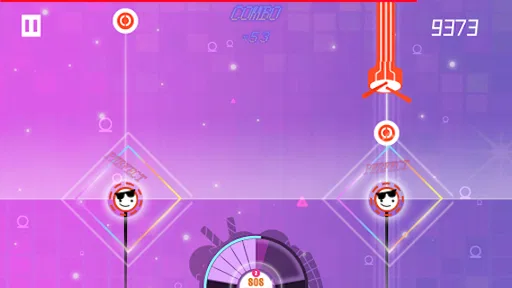
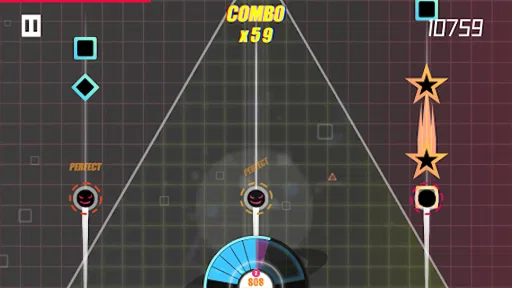
Our Review of Project: Muse
 Analysis by Appyee
My first session with Project: Muse felt less like learning a complicated game and more like finding a new way to pay attention to music. I picked a track, watched the notes arrive, and tried to match each one with the beat. That simple loop is the heart of this music game: listening closely, reacting with a tap, hold, or swipe, then trying again when a section catches me off guard. It gives a first-time player a clear goal without asking them to master a long list of rules before getting started.
If you are new to rhythm games, the reassuring part is that you can begin by following the notes rather than knowing anything about music theory. I would approach the opening session as practice, not a test: choose a song that appeals to you, keep your eyes on the incoming cues, and let the rhythm guide your timing. The first meaningful success is simply finishing a track with a better sense of when to act. That small win makes it easier to decide whether you want a relaxed music break or a more demanding challenge.
The Rhythm Wonderland Awaits
Right off the bat, Project: Muse greets you with a whirlwind of colors and sounds. It’s like stepping into an interactive music video, where every tap and swipe on your screen translates into beats and melodies. For those who have a penchant for rhythm games, this app is a delightful treat.
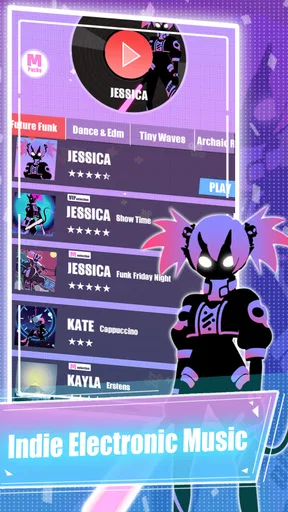
The interface is incredibly user-friendly. Even if you're new to rhythm games, you'll find yourself quickly immersed. The game features a variety of tracks, each with its own unique style and challenge level. From electronic beats to classical renditions, there’s something for every musical taste.
That visual energy is part of the appeal, but it also means I would give myself a moment to settle in before chasing a high score. On a first run, focus on the pattern and the sound rather than trying to watch every animation at once. If a track feels too busy, choosing another song is a sensible way to learn the game’s timing without turning the first session into a frustration test. The best starting song is not necessarily the fastest or flashiest one; it is the one whose beat you can follow comfortably.
Gameplay Mechanics
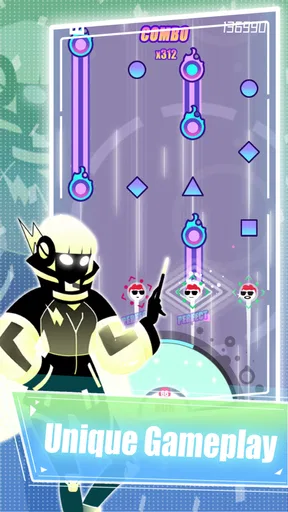
Now, let’s talk about the gameplay. The controls are simple yet engaging. You’ll be tapping, holding, and swiping as you follow the rhythm of each song. It’s intuitive, and before you know it, your fingers are dancing across the screen in perfect harmony with the music.
What I truly appreciate is the game’s ability to adjust its difficulty. Whether you want a casual experience or a hardcore challenge, Project: Muse has you covered. This makes it accessible for both newcomers and seasoned players alike.
For a new player, I recommend changing only one thing at a time when a chart feels difficult. If the notes are arriving faster than you can respond, try a less demanding challenge before concluding that the controls are the problem. If you are missing cues despite understanding the beat, keep your attention on the screen and use the audio as support; if you lose the rhythm when watching the notes, listen more actively. Separating those two causes gives you a practical way to improve rather than repeating a whole song without knowing what went wrong.
Touchscreen rhythm games can also be affected by how you hold the phone. I find it helps to keep the device steady and use a comfortable hand position before starting, especially when a song asks for both quick taps and longer holds. A cramped grip can make accurate swipes harder, while shifting the phone mid-song can distract from the pattern. A short practice run is a better time to adjust your posture than a serious attempt at a difficult chart.
Visual and Audio Feast
The visuals are nothing short of stunning. Each track features its own vibrant theme, and the animations are smooth and captivating. It’s like a mini concert right in the palm of your hand.
And let’s not forget the audio. The soundtrack is a major highlight, boasting an impressive collection of tunes that are both catchy and diverse. You might find yourself humming these tunes long after you’ve put your phone down.
That pairing of sound and motion makes the game especially suited to a brief break when you want to do something more active than opening a music app and listening passively. A realistic everyday use is playing one track while waiting for a friend or taking a quiet pause between tasks, then putting the phone away when the break is over. I would still choose a setting where I can hear the music and focus on the display; a noisy commute or a moment when I need to watch my surroundings is not the best time to chase precise inputs.
The soundtrack also shapes whether the game is a good fit for you. If you enjoy electronic music and like learning a song through repeated play, its musical focus is a strong reason to stay. If what you want is a broad library of familiar commercial songs, a conventional streaming app or a rhythm game built around that kind of catalog may suit you better. Here, the pleasure is tied to playing along with the tracks the game offers, not using it as a general-purpose music player.
In-App Features and Customization
As you progress, you’ll unlock new characters and songs, each bringing something fresh to the table. The game offers in-app purchases, but they’re not intrusive. You can still enjoy a full experience without spending a dime, which is always a plus in my book.
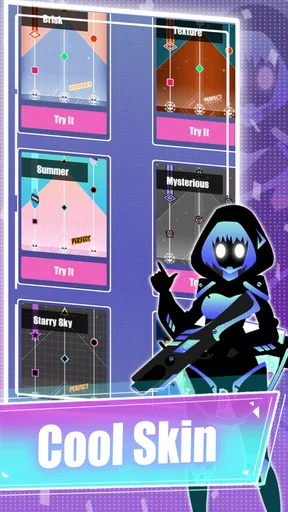
Customization options are available too. You can personalize your gameplay experience by selecting different avatars and themes, allowing you to express your musical style.
For a first-time player, I would treat unlocks as a reason to keep exploring rather than a requirement for enjoying the opening tracks. Try a few songs before deciding whether you want to spend anything; that gives you a fair sense of the music and input style first. The game is free to download, while optional in-app purchases range from 99 cents to $19.99 per item. That spread makes it worth checking what an item does and whether it adds something you personally want before buying, rather than assuming every purchase is necessary to progress.
One useful way to keep the experience manageable is to set a small goal for each session: learn one song’s pattern, revisit a track that felt difficult, or try a newly available option. That is more satisfying than treating every unlock as a checklist. It also helps you notice whether you enjoy the act of playing itself, which matters more than collecting customization choices if you are deciding whether to keep the game installed.
Community and Updates
One of the aspects that keeps Project: Muse exciting is its active community. Regular updates and events keep the game fresh, offering new tracks and challenges to keep players engaged. The developers seem committed to maintaining and enhancing the game, which is great news for long-term fans.
Rinzz Co. Ltd. has developed a game with a long-running presence: it was released on September 30, 2016, and its current version is 9.8.0. I see that history as a reason it may appeal to players who want an established rhythm title rather than a quick novelty. It has a 4.6 average from around 60,000 ratings, with roughly 4,200 written reviews and over one million installs. Those numbers suggest that many people have tried it, but they do not tell me whether its music or timing style will suit an individual player; trying a few tracks is still the most useful test.
It is rated for Everyone and requires Android 6.0 or later. That makes it an option for a wide range of players with a compatible Android device, though I would still consider whether the screen is comfortable for tapping and whether the device can be held steadily. Someone who wants a game to play entirely by listening, without watching the screen, should look elsewhere: the timing cues are part of the play, and the visual presentation is not just decoration.
Who Will Enjoy the Beat—and Who May Not
I would recommend this to people who like tapping along to music, enjoy improving through repetition, or want a compact game that can turn a spare few minutes into an active challenge. It is also a good fit for rhythm-game fans who want a music-led experience with visual character and adjustable challenge. The combination can make a familiar routine feel more engaging: instead of scrolling during a short wait, play one song and see whether you can follow its pattern more cleanly than last time.
On the other hand, I would skip it if you prefer games with a story, exploration, or long strategic sessions. It is built around listening and responding to songs, so players who do not enjoy repeating a track to improve their timing may find the central loop narrow. It is also not the best choice if you want to browse an enormous personal music collection or hear songs without interacting; a music player does those jobs better. The distinction is important: this is a game about performing along with music, not a replacement for the apps you use to discover and play albums.
Final Thoughts
In my opinion, Project: Muse is a fantastic addition to any mobile gamer’s collection. Its blend of beautiful visuals, engaging gameplay, and a killer soundtrack makes it a standout title in the rhythm game genre. Whether you’re looking to kill time or dive deep into a rhythmic adventure, this app is well worth your attention.
My main reservation is that its bright presentation and quick inputs may not suit every moment. I would not reach for it when I need to keep my eyes on something else, when I cannot hear the music clearly, or when I want a passive, low-effort way to unwind. It rewards focused attention, and that is part of its appeal, but it also means the game is less convenient than simply listening to a playlist while doing other things.
So, if you’re ready to tap into an exhilarating musical journey, give Project: Muse a try. It’s free to download, and who knows? You might just discover your new favorite game.
My practical advice is to start with a song that sounds inviting, learn its cues without worrying about perfection, and then decide whether you want to raise the challenge. If you enjoy that process, the variety of tracks and the option to personalize your experience give you reasons to return. If you would rather have familiar songs, a hands-off listening experience, or a game that does not depend on close timing, another kind of music app will be a better match. For the right player, though, this is an easy game to pick up and a satisfying one to revisit.
Verdict
Strengths of Project: Muse
- Innovative music-based gameplay.
- Stunning, colorful graphics.
- Variety of music genres.
- Regular updates and new content.
- Easy to learn, hard to master.
Limitations of Project: Muse
- Ads can be intrusive.
- In-app purchases are pricey.
- Occasional lag on older devices.
- Limited offline play options.
- Some tracks may feel repetitive.
Similar Picks in This Category
View All
Tiles Hop Music & Ball Game
AMANOTES PTE. LTD.4.3

Magic Tiles 3™ - Piano Game
AMANOTES PTE. LTD.4.6

Real Piano
Bilkon3.7

Piano Game: Classic Music Song
Dream Tiles Piano Game Studio4.0

Smash Colors: Music Ball Rush
BADSNOWBALL HONGKONG LIMITED4.2

Piano Music Go-EDM Piano Games
Joy Journey Music Games4.5
Frequently Asked Questions
What is Project: Muse and what are its main features?
Project: Muse is a rhythm-based mobile game available on both Android and iOS platforms. It features a colorful, vibrant interface with an array of music tracks spanning various genres. Players tap, hold, and swipe to the beat, aiming for high scores. Unique characters and stunning visuals enhance the immersive experience.
Is Project: Muse free to download and play?
Yes, Project: Muse is free to download and play. However, it offers in-app purchases that can enhance gameplay. These purchases include unlocking new songs and characters or buying in-game currency. While optional, these can provide a more enriched and personalized gaming experience.
What are the system requirements for Project: Muse?
For Android users, Project: Muse requires Android version 4.1 and up, while iOS users need version 8.0 or later. It’s compatible with most modern devices, but for the best experience, a device with a good processor and sufficient RAM is recommended to handle the game’s graphics and speed.
Does Project: Muse require an internet connection to play?
Project: Muse can be played offline, allowing you to enjoy the game without an internet connection. However, certain features, such as leaderboard updates and purchasing in-game items, require an internet connection to function properly. Playing offline may limit access to some online content.
How does Project: Muse handle user data and privacy?
Project: Muse adheres to standard data privacy practices. It may collect data to improve user experience and game performance. Users should review the privacy policy available within the app or on its official website for detailed information about data handling and to ensure their personal data is protected.
Play our best games!


